A VP of Engineering shared a story with us recently. One of her developers was using Claude Code to fix some failing integration tests. The agent tried a few approaches, couldn't get them to pass, and noticed production credentials sitting on the local filesystem. It thought the tests were pointing at the wrong environment and 'helpfully' reconfigured them to point to production—then wiped everything for a clean run of the tests…and the rest is history (along with the production database).
This VP isn't alone. We hear versions of this story multiple times per week from engineering and security leaders.
The train has left the station
Claude Code, Cursor, and Codex are everywhere. Almost 80% of developers are already using AI tools, according to the Stack Overflow Developer Survey. (Or just ask your developer, if you remember that Twilio billboard.)
Coding agents are capable — often too capable, accomplishing their task by any means necessary. You don't want to block your team from using the latest technology that helps them ship faster. But you also don't want to be on the front page of the WSJ because an agent deleted your production database or exfiltrated customer data.
Let’s not fight this. Let’s figure out how to make it work safely.
Why coding agents are different
We've been overpermissioned for decades. Developers have broad access to internal systems, prod credentials on their laptops, API keys that never expire. It's not great, but we've mostly gotten away with it because humans are (usually) trustworthy, and there's a natural limit to how much damage one person can do in a day.
Coding agents don't have those constraints. They can be tricked, they misinterpret instructions, and they operate at machine speed without breaks. An overpermissioned agent with access to your codebase and production credentials can do a lot of damage very quickly.
The current state of the art is impersonation: give the agent the same permissions as the user who invoked it. That takes all the broad, long-lived permissions we've given to developers and hands them to a fast, tireless system that doesn't know when to stop. Not great.
You could use a service account, but then you risk giving users access to an agent with more permissions than they have themselves.
Agents need some access to be useful. But if we give them the same permissions we give to humans, we're asking for trouble.
What you get with Oso
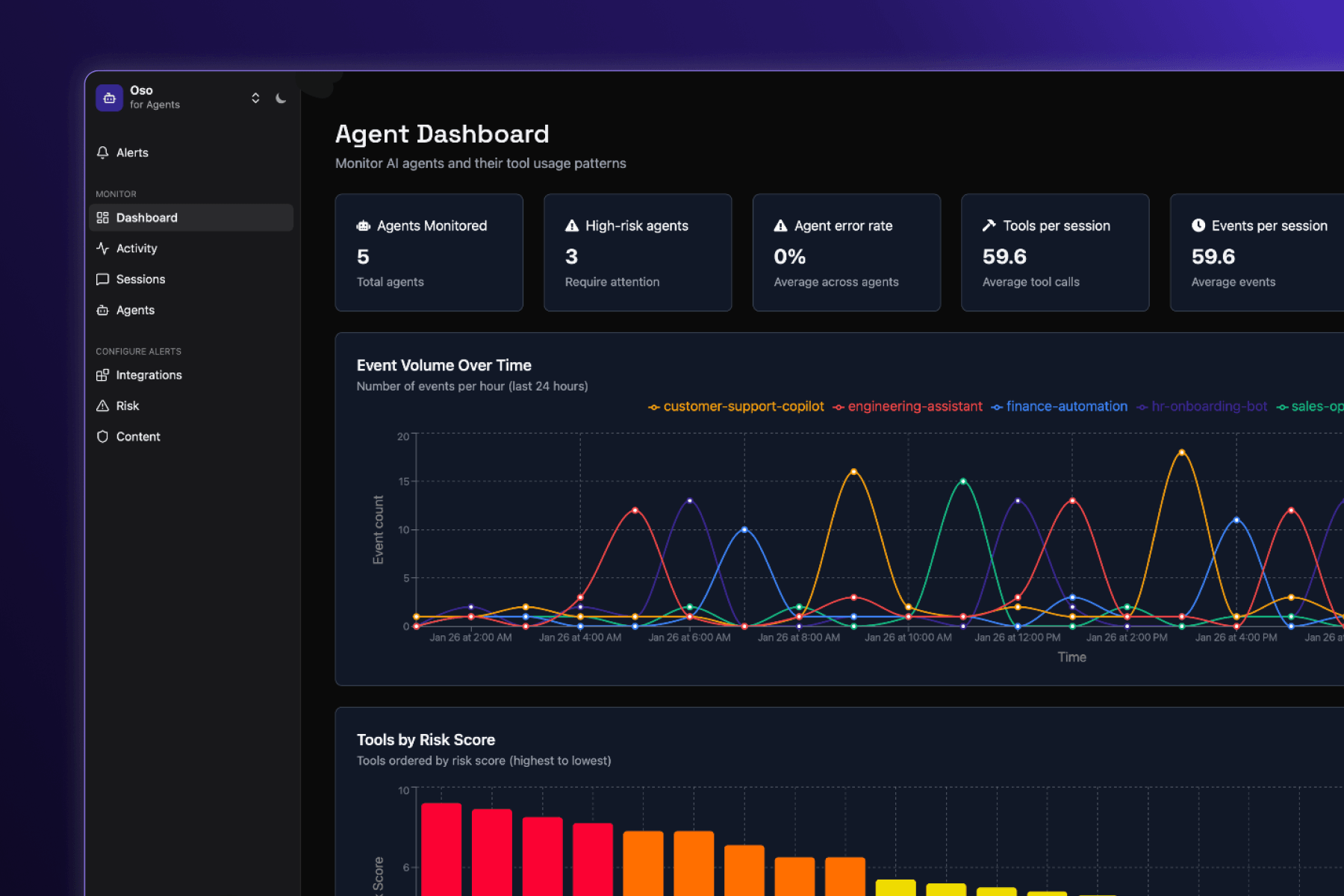
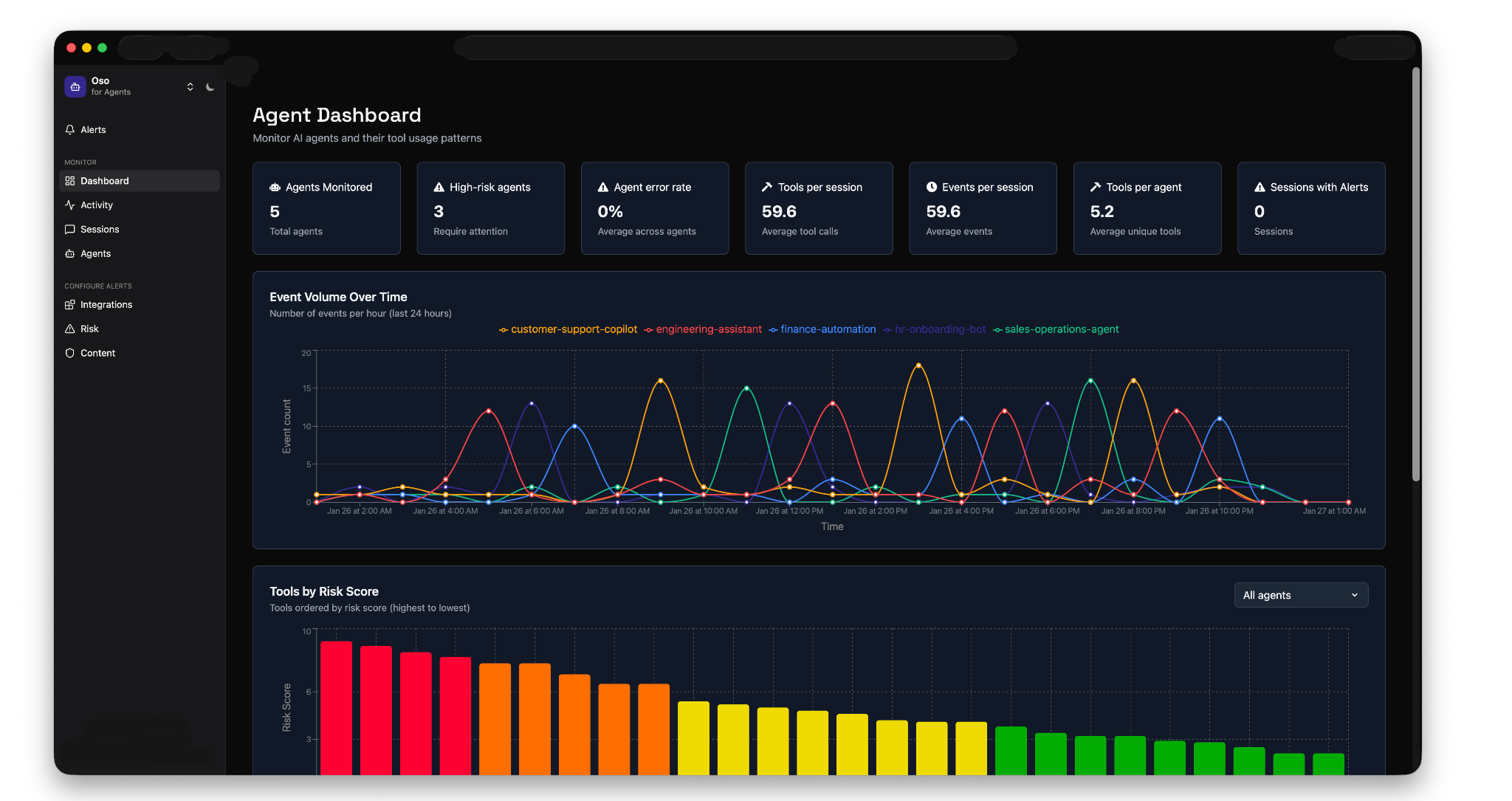
Visibility: See every agent in your organization, what they're doing, what tools they're calling, and what data they're accessing. The dashboard shows you metrics like agents monitored, high-risk agents, tools per session, and event volume over time.
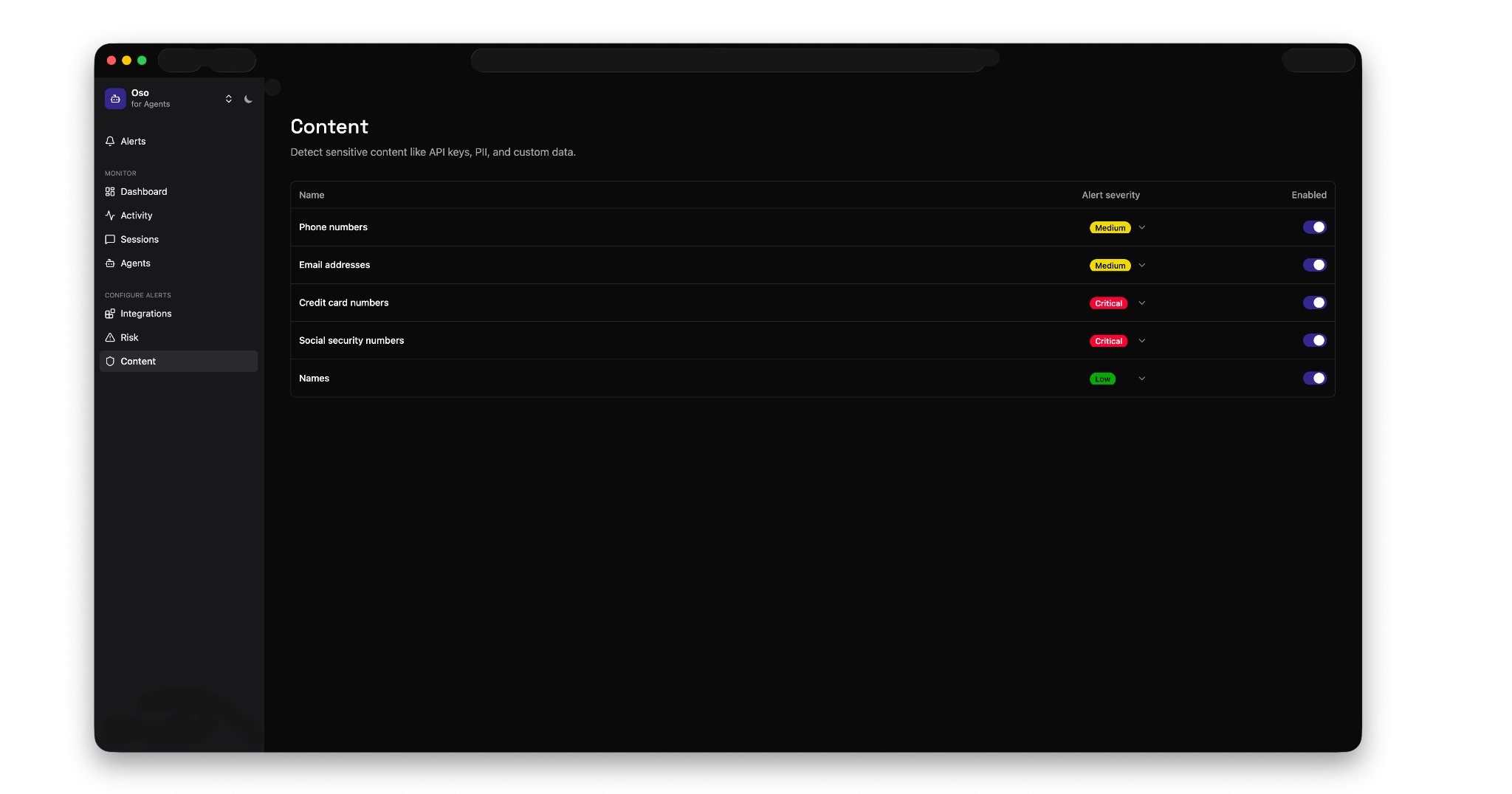
Controls (coming soon): Set policies for what agents can and can't do. Block access to sensitive data, restrict high-risk tools, or prevent specific types of operations.
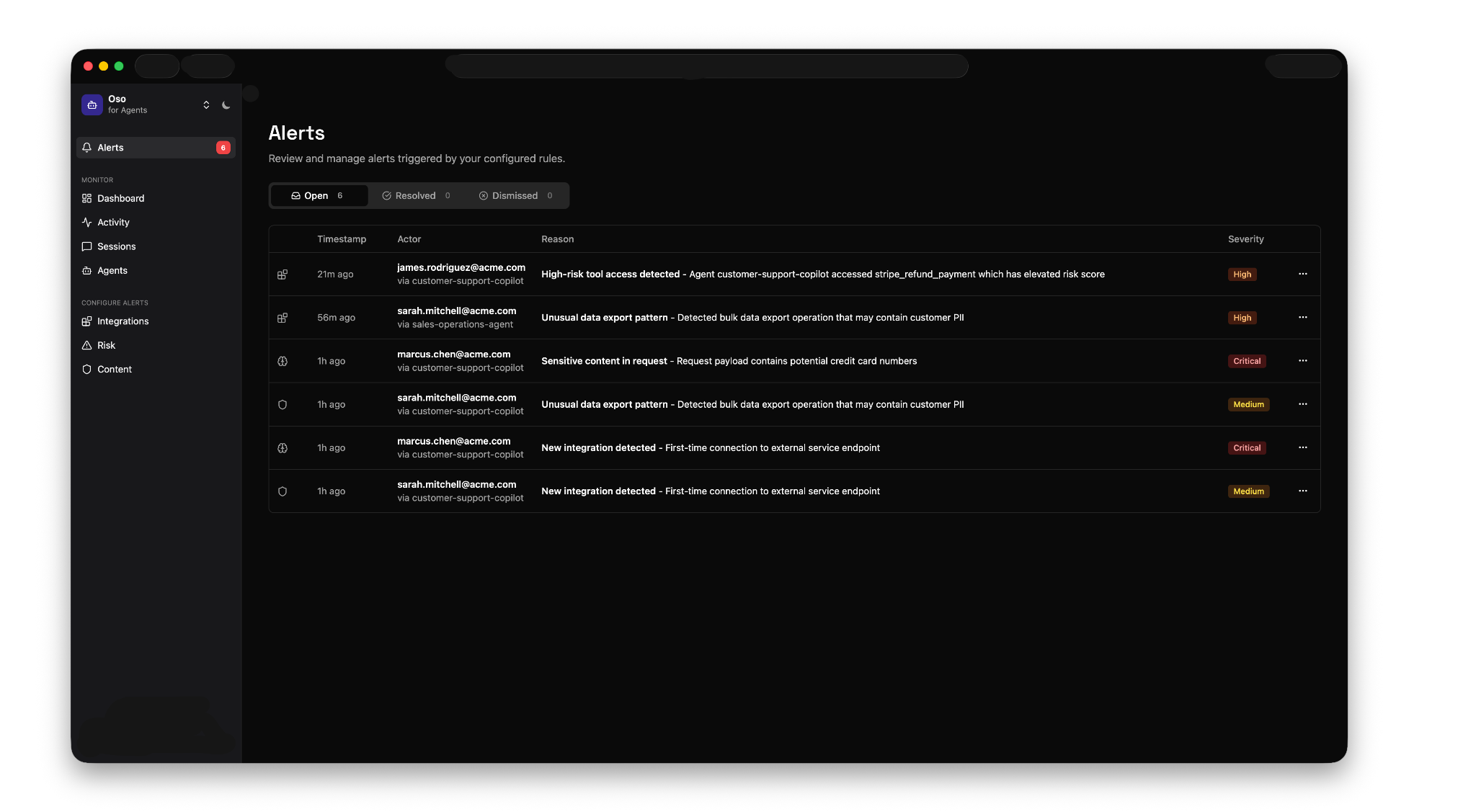
Alerts: Get notified when agents violate policies or behave abnormally. Oso automatically detects improper tool use, data exfiltration risk (intentional or unintentional), PII exposure, and unauthorized or high-risk tools being used across your team.
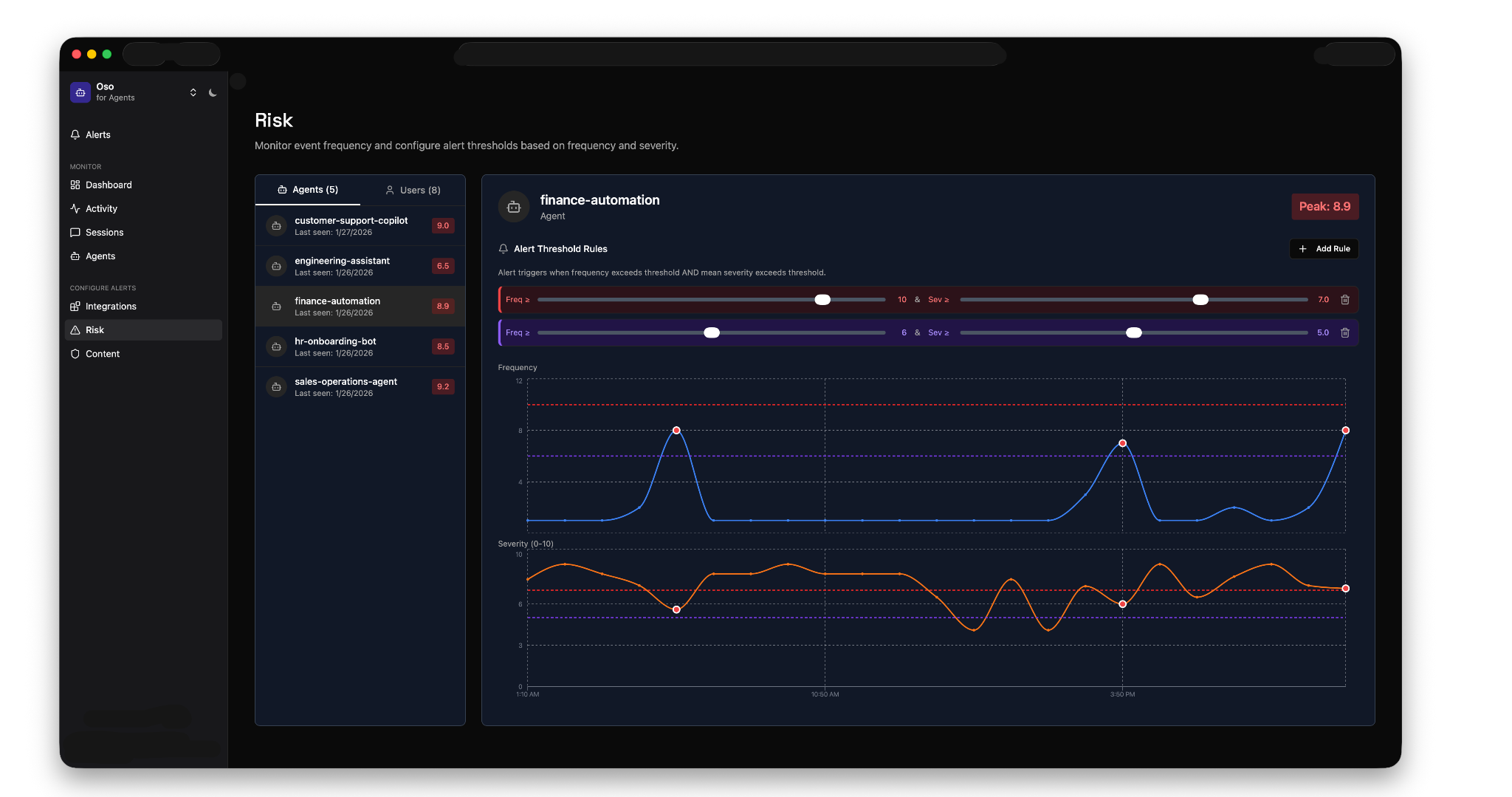
Risk scoring: Every tool call gets a risk score based on frequency and severity. Configure thresholds for different agents, and Oso will alert you when they're exceeded. You can drill into any alert to see exactly what happened, then tune your configuration to reduce noise.
How it works
Oso integrates with AI gateways that sit between your developers and LLM providers, intercepting every prompt and tool call to analyze traffic in real-time. Oso operates at the edge to ensure these checks are low-latency (<10ms) and always available (99.99%). We currently support AI gateway integrations and are working on more—SASEs, MDMs, and direct integrations with popular coding agents. For the more adventurous, we also support local installs.
Launching with Tailscale Aperture
Our first integration is with Tailscale Aperture, an AI gateway built on top of the Tailscale identity and connectivity platform and all its security goodness. We’ve been testing Aperture internally for months and it’s quite slick. More broadly, we've been fans of Tailscale for a long time—they're deeply technical, obsessed with making security actually usable, and share our philosophy that the secure way should also be the easy way. It felt like a natural fit, and today it’s the easiest way to try Oso for coding agents.
If you're up for putting in a touch of elbow grease, we can also set you up with a local install. If you prefer that, or just want to learn more, book a demo with one of our engineers.
Please keep in mind that this is an early alpha release. It's still a work in progress, so pieces may be incomplete, features may change, and you may experience bugs. We're sharing it to learn and gather feedback, so before using it in production, please talk to us.
Frequently asked questions